neulatuntimittari.02 diary
This is a diary of the neulatuntimittari project process from 18.9.25 to 29.10.25. After this I jumped my focus onto milieau-analysis, so there is not much documentation for neulatuntimittari for the last week of development. The tasks in that time were primarily tweaking the display code and then making the oak case (I’m not actually sure when I made the case, but hey). The last commit to the src files was on 7.11.25. After that I wrote and added the readme in march -26. Karri Korsu, 23.10.2026
25.09.18
a new start
where I left off last time
Without opening VS code I can say that it had something to do with LittleFS and the main logic of the application.
[!NOTE] I think I saw a dream where I moved from CSV to JSON for storing the data. Somehow it seemed easier that way. I think the problem with CSV was that the data needs to be 2d as opposed to JSON facilitating semi easy inheritance like stuctures.
- I solved the documentation image issue yesterday [25.09.17
I was testing the csv script functionality. It stores data from the csv succesfully in an 2d arrayand dumps them onto the serial monitor.
I suppose next is deciding the shape of the CSV, what data goes where: I propose:
| Stylus | seconds | | ——- | ——– | | Stylus1 | 370000 | | Stylus2 | 10505450 | | Stylus3 | 534 | | … | … | Does it need anything else? I suppose not. If I had a clock I’d implement something like a last used field but since I don’t I won’t. ref: Printit joiden täytyy näkyä:
Made a state chart to clear my mind:
State chart
 I though about implementing the sensor states as a binary number. where 11 is both sensors state is up, 01 an 10 being either one being up and 00 being neither is up
For the Reed switch status to be up it needs a handler function.
I though about implementing the sensor states as a binary number. where 11 is both sensors state is up, 01 an 10 being either one being up and 00 being neither is up
For the Reed switch status to be up it needs a handler function.
- Something that determines whether the state is 1 or 0 depending on whether the switching happens in a certain timeframe
- Since the RPM at its lowest is 16rpm it spins 16/60 = 0.2667 rounds per second.
- Which means one rotation (interval between sensor switches) happens in 3.749 seconds.
-
I’ll just set the max interval to be 5 sec
The state table is a bit hard to implement. I would like to access the states directly as binary and I’m hesitant to use some special datatypes for them as chatgpt is suggesting. I would like to just use a char array and check the state that way
- went with a macro based approach: it looked the prettiest
Now reading about how the sleep works so I can implement the structure of the code
- interrupt pins can be attached and deattached to stop them working in normal use and activating them in sleep mode
- using sleep and wakeup functions to set up both cases
- reading this
How do I implement the timer for the reed status switch without it hijacking the whole program We have the is_reed_active() function which returns either 0 if the reed is not active and 1 if it is. The function needs the time difference of current and previous time when the reed was active and if it is under 5 sec the function returns 1.
- the overall uptime timer can be used for this aswell, which tells us the current time
- the “last seen” time can be stored in the
Good progress today! Next up is figuring out why the is_dist_active doesn’t work ( or rather why the dist output doesn’t change in program) Other things can be read from the commit
25.09.19
Starting with debugging the dist printing Also the scrren flashes again when it is updating. I’m not sure if I fixed that already in some version, but it is back. Problem for later
- Unsure of what the issue was– I just
- checked so that the correct pins were connected
- checked that the pin number was correct (39)
- ran the ir_sensor_test code
- it worked
- changed my int8_t variable to a uint16_t
- This was the issue! int8_t goesfrom -128 to 127 and the value for the ir sensor being on is 4096, causing overflow… !!
Next up is the timer backend: time.h timer seems to output in the seconds but it needs to output in ms. As with everything the native C implementations of libraries don’t necessarily work with embedded C/Esp32.
There are atleast:
- https://docs.espressif.com/projects/esp-idf/en/stable/esp32/api-reference/system/esp_timer.html
- https://docs.espressif.com/projects/esp-idf/en/stable/esp32/api-reference/system/system_time.html
- https://docs.espressif.com/projects/esp-idf/en/v4.3/esp32/api-reference/peripherals/timer.html Why is there some many
- This was the issue! int8_t goesfrom -128 to 127 and the value for the ir sensor being on is 4096, causing overflow… !!
Next up is the timer backend: time.h timer seems to output in the seconds but it needs to output in ms. As with everything the native C implementations of libraries don’t necessarily work with embedded C/Esp32.
There are atleast:
- they have different backend implementations wound up using esp_timer. And it works!
- it was recommended as a good general purpose timer. Not too accurate, but not too heavy.
just using the method
esp_timer_get_time()to retrieve time since boot in us and converting into ms in the current_time_ms() function.
Possible bug with reed switching?
/* This has some fiddly weirdness still. Doesn't always activate when it should
  * It could be because in my test setup the magned doesn't go far away
    enough so that the reed opens/closes.
*/
int8_t is_reed_active(int64_t* prev_time, uint8_t* prev_state){
So: what’s next:
TODO
Still todo for this phaze:
- Sleep functionality
- decide when the state of sleep is activated
- decide which sleep mode the esp should go into
- interrupt/wakeup
- Data
- retrieval
- saving
- format
- the CSV format can be seen above in this file
- UI
- Printing data clearly
- UI formatting
- Fix flashing in boot?
- Error message if something is wrong
- maybe also flashing internal led todo for next phaze:
- Physical implementation
- extra button
- multiple styli
- changing styli
- resetting styli hours
- rebooting
- multiple styli
Sleep
This is what I’ll do now First, I’ll research what sleep mode would be the best.
- It would be good for it to be really energy preserving
- It is fine that it would go through the whole boot cycle
- it only has to listen to the interrupt pin
- it would need to be such that the interrupt pin is listened to always when sleeping, and not polled periodically.
- Does the interrupt pin have to be different from the reed pin? Or can it be the same? If it cannot be the same another wire needs to be soldered onto the
- since the reed is now connected to 3.3V and the input pin, would I need to change it to a pullup pin and GND if it works as an interrupt aswell
- maybe yes, since then it wouldn’t be powering the screen and ir sensor.
25.09.22
Sleep cont
ESP32 supports two major power saving modes: Light-sleep and Deep-sleep. According to the features used by an application, there are some sub sleep modes. See Sleep Modes for these sleep modes and sub sleep modes. Additionally, there are some power-down options that can be configured to further reduce the power consumption. See Power-down Options for more details.
- https://docs.espressif.com/projects/esp-idf/en/stable/esp32/api-reference/system/sleep_modes.html
- maybe yes, since then it wouldn’t be powering the screen and ir sensor.
- since the reed is now connected to 3.3V and the input pin, would I need to change it to a pullup pin and GND if it works as an interrupt aswell
Deep sleep vs Light sleep
- light sleep cpu is glock gated
- deep sleep cpu is powered off, only the ULP coprocessor is monitoring IO, or something like that -> why not use deep sleep?
[!NOTE]
- because the wakeup function can only respond to a change from the wakeup pin from either 0 or 1 at a time and the current reed activity function having an activity interval cutoff of 5 seconds
- I need to implement another function ( an extension / from a generic ) for the reed activity which waits for example a minute between input change before the esp is put to sleep and the wakeup pin is set to activate either low or high.
-EXT0: External wake up 0 can trigger wakeup when one predefined RTC GPIO is at a predefined logic level. This example uses GPIO25 in ESP32 or GPIO3 in ESP32-S2/S3 to trigger a wake up when the pin is HIGH. (This wake up source is only available on ESP32, ESP32-S2, and ESP32-S3.) EXT1: External wake up 1 which is tied to multiple RTC GPIOs. This example uses GPIO2 and GPIO4 to trigger a wake up with any one of the two pins are HIGH. (This wake up source is available on ESP32, ESP32-S2, ESP32-S3, ESP32-C6 and ESP32-H2.)
- https://github.com/espressif/esp-idf/tree/v5.5.1/examples/system/deep_sleep#deep-sleep-example
- EXT 0 and EXT 1 not available on esp-wroom-32
this page lists the pin definitions (with power domains) for the esp wroom 32: pdf
 Control flow for sleep/wakeup
- (deactivate reed GPIO pin?) set reed pin as pullup RTC_io pin (rtc_gpio_pullup_en())
- if there are any gpio that are pullup as standard, we can deactivate that behaviour to get lower power consumption with: rtc_gpio_isolate()
- enable wakeup (esp_sleep_enable_ext0_wakeup())
- going to sleep (esp_deep_sleep_try_to_start())
- waking up, deinit RTC io so they can be used as gpio (rtc_gpio_deinit())
- ….
what does this mean?
 https://docs.espressif.com/projects/esp-idf/en/stable/esp32/api-reference/system/sleep_modes.html#api-reference
25.09.23
rtc_pulldown_dis(pin) RTC_pullup_en(pin)
- this way we get the
Moving away from arduino.h to the more powerful driver/gpio.h for gpio stuff
[!NOTE] Problem Even when in deep sleep the 3.3V pin supplies power so the sensors. The monitor goes to sleep when it is not used but the distance sensor doesn’t– to get the least amount of current consumption I would probably have to use a transistor as a power switch type dealio. Not current problem. Current draw from 3.3V pin in deep sleep: 4,6 mA .
Some problems with working the deep sleep + wakeup + pullup. I think the problem is mainly just with reed wires being a bit knackered.!
Setup the pullup resistotr for reed succesfully. some weirdness in the beginning but it seems to work now.
Sleep seems to work now!
Timer logic Because we need to stop the timer when either one of the sensors is low we need logic for it
- current time is accessed through the current_time_ms()
- start time holds a timestamp of when the logging has started
- if the state of the system goes to 10 or 01 the logging time no longer should be increased by
- because the amount of active time is calculated from the difference between start time and current time
- the difference between the two should stay the same the system is in standby.
- when the system goes into standby, a timestamp of current time should be stored (standby timestamp)
- when the system is active after standby, the difference between start time and standby timestamp should be taken from current time.
Timer logic done and dusted (and tested)
Next up is implementing data retrieval and saving implementation. Both are already tested individually, methinks
25.09.25
Couldn’t get anything done yesterday, focus was somewhere else!
Before I can start implementing data handling I need to split the code into modules, because main.cpp is getting way too long. The Save functions and UI functions can be stored in their own files. Starting with this ‘best practices’ article
After refactoring the code into modules among the issues that were in the code there was also an error with the platformio package esptoolpy. the intelhex module within that package wasn’t install. I tried uninstalling it via the platformio terminal but it didn’t do anything. I ended up removing the folder via ~/.platformio/packages$ rm -r tool-esptoolpy. I uploaded the code, it installed the latest version of esptoolpy and it works! This apparently was a known bug, once not something I did wrong.
CSV file io works somewhat reading works and it saves what its meant to too, but it populates the table with mumbo jumbo for some reason. I think it initiates it with mumbo so mumbo is saved. More testing tomorrow
25.10.03
Saving and retrieving works implemented log_hours too, which updates id_hours’ field
there was some weirdness, but it was my fault. I was updating the fields of the array at ROWS and COLS and not i and j.
Now UI
First off, the prints need to be revamped. I need the hours, needle id and whether or not the system is active visible on the sceen. Nothing more? -> bigger font -> spacing out the
- bigger font
- tweaking spacing and location of the text elements
- there must be a better way to do this than just trial and error tweaking is done now-
next up setting logic for the prints, so that the variables contain something concrete
25.10.07
Test setup
Problems!
- right now the reed switch is problematic in that in the real world setup, it doesn’t detect the magnetic field quickly enough for the status to be switched.
- When spinning the turntable platter manually very slowly the state changes
- it shouldn’t be too fast for software to detect the switching
- it shouldn’t be too fast electronically either for the reed switch.
Timeframe for input switch in working conditions:
chances for activity within one rotation (B):
magnetic field size (length along platter) / platter diameter
mag field len is ~ 2cm currently, but it is asymmetric, signifying that the positioning of the reed switch matters.
platter diameter is 31cm
2cm / (31cm * pi)2 /97.389 = 0.021time it takes for one rotation (A): spins during 1 second:[16:78]rpm / 60s = [0.2666... : 1.3]A = 1 / [0.2666... : 1.3] timeframe of input switch:A * Bbest case (slowest rpm):A = 3.749999995worst case:A = 0.769230769
Timeframe ranges from 0.08 seconds to 0.02 seconds.
esp32 CPU clock speed can be checked from the documentation: up to 240 MHz. Is it enough for a minimum polling speed of 1/0.01 polls/second should be enough. but TBC
Sleep logic is wrong
It seems that the RTC wakeup pin is always set so it activates when there is no magnetic field. It doesn’t activavte when the magnet is nearby. So the wakeup activates HIGH. When the pin activation HIGH/LOW should be set when starting sleep process.
25.10.09
Troubleshooting why reed is so slow
the fastest way to poll is GPIO interrupt, apparenty
syntax for gpiointerrup:
attachInterrupt(GPIOPin, ISR, Mode);
where ISR is the interrupt handler function. Mode can be set to CHANGE, which triggers upon change
isr handler should just mark the timestamp when the change occurs and then when is_reed_active is called, the previous time is retrieved from the variable that is being updated by the isrhandler.
isr handler:
Current problem: When isr triggers it causes the runtime to start the main loop function again, initializing all variables. This causes dist and reed to be -2, which is not good. Need to move variables to setup or somewhere… -> the previous wasn’t true. It was because I hadn’t initialized the reed interrupt variable as volatile, which caused the variable to give out trash values if it wasn’t initialized again within one loop (?)
next problem: when reed is closed, the state is always 1 when reed is ope, the state is 1 for 5? seconds and then it is always closed
after much pondering i think this is the issue:
void setup_reed(){
// REED SWITCH
  //pinMode(REED_PIN,INPUT_PULLUP); // Digital input
  attachInterrupt(REED_PIN, reed_isr, CHANGE);
}
It works! It reads the pin with enough fidelity!
- the max interval could be tweaked either by tweaking the variable itself, or by increasing the main loop delay.
- does delay() achieve less power usage
next up ill try to solve the sleep issue Sleep logic is wrong I think the issue is that after booting the reed timestamp doesn’t have time to update and instead it automatically goes to sleep mode. Possible solutions:
- Add delay before state machine: gives time for the reed state to update
- Initialize reed as 1 When both solutions are implemented it works somewhat. initing reed as whatever doesn’t affect behavious because the reed value is set before anything happens
1 second delay before anything either causes a boot loop or correct startup when platter is spinning. 4 second delay
boot loop still happens always no matter the magnet position i removed the deattach interrupt and set the wakeup pin to wakeup whne reed is LOW and now it works whether the reed stops in low or high position. ! I’m not sure why it works but I’m not going to poke the bear
25.10.13 usage testing FS
system proto is set up need to
- convert hours array to 1d
- just print the minutes used for testing purposes
- check if it
1,2 done checking in progress
get_hours_csv() was not in use for some reason (hours were only written to file but never retrieved, I guess its ok for testing)
Put it to work and because the function call was made for a table and not a 1d array I just passed a pointer to the array to the function:
get_hours_csv(&id_hours);
when the declaration is:
uint8_t get_hours_csv(uint64_t array[ROWS][COLS]);
I changed ROWS macro to 1 from 10, which functionally eliminates the nested for loops into just a singular for loop all over the code.
Problem: printed hours not retaining on startup
When wear hours are printed upon going to sleep they are not retained upon startup.
- I think the static elements of the screen are overwriting them or ratherthe setup messes things up
- solution: call get_hours_csv() in start of loop(), and not in the sleep process
- solution: print hours in setup and not in sleep process
Saving wasn’t implemented either atm, used the same trick for that one as with the get_ function
added some serial prints because I think the hours output was suspicious the last time.
waveshare print showed 3 min and the serial print showed something like 220000 ms. 220000/1000 = 220 = 3.x min = 3 min. Seemed like a longer time something is definitely off pre vs postlog time
26689
^hours prelog, hours postlog v
_Update_Part : 782000
_Update_Part : 782000
116289
maybe it wasn’t 220000, but only five digits. the minutes should show 1 minute as it does… seems weird
-
does it retain hours between boot cycles ie does it save the hours properly printed output doesn’t retain hours atleast neither does the logged one
- prelog time seems to have 30 secs to 1 min of time for some reason even though it
- last time it was 40 secs, for some reason.
sometimes even the post logging output was less than the prelog -> not enough time for saving to file before reading file
boot # 2 33219 ^hours prelog, hours postlog v _Update_Part : 782000 _Update_Part : 782000 41219Debug… 41219 0 0 0 0 0 0 0 0 0
boot # 3 41219 ^hours prelog, hours postlog v _Update_Part : 782001 _Update_Part : 782001 103619Debug… 38083 0 0 0 0 0 0 0 0 0
boot # 4 38083 ^hours prelog, hours postlog v _Update_Part : 782000 _Update_Part : 782000 157283Debug… 26211 0 0 0 0 0 0 0 0 0
boot # 2
198083Debug… 198083 0 0 0 0 0 0 0 0 0 ␌Ԋ�N��Lı! J�|�� �f1B�_PowerOn : 95998 _Update_Full : 3871000 _Update_Full : 3871000 _PowerOff : 142000 Debug… 198083 0 0 0 0 0 0 0 0 0 198083 ^hours on
a unit mismatch… the read csv function read the strings into uint16_t and not uint64_t… Unfortunate cause of much brainache. That’s what happens when you trust ChatGPT. Corrected the error and now disconnected from laptop for real world testing.
Limiting clock speed to up the efficiency of the system
Q: what is the lowest clock speed at which the polling of the reed still works? A: polling window is from 10 ms to 80 ms and the current clock speed is 240MHz
call to reduce CPU speed: ```
setCpuFrequencyMhz(80); // or 40, 20
Button logic
once button is implemented (change stylus + reset hours) the software side of this project is done
fast click -> cycle through styli slow click -> reset current stylus hours
fast click less than slow click threshold once stylus index 10 is reached wrap to index 0 upon fast click update stylus print on waveshare + hours to match stylus index slow click threshold should be long, eg 5 sec sets the hours of the current stylus to 0
because of the synergy between slow and fast click the action needs to take effect when the button is lifted. Eg the with pullup resistor it starts a timer when button state is 0 and checks the timer count when button state is 1 -> resets timer -> takes action
debounce
use get active time as timer
25.10.15
wrote the code for the button functionality trying to write unit tests for it because too lazy to hook up esp32 to laptop. many problems, primary because running the unit tests on host machine causes all of the arduino/esp32 specific libaries to crash the tests. solution 1. separate the platform specific code modules from the agnostic modules and use compiler flags to exclude the problematic code solution 2. idk solution 3 use a hardware simulator so mock up the esp32 platform on the host machine
25.10.16
I’m giving up on unit testing in this case
Maybe a better solution is using a debug flag when building which would overload the Serial.print and Serial.println methods so they don’t do anything.
did that via macros in a new library called DebugSerial:
Button logic is handled on the top level by checking whether btn state is 1 or 0 because if it is being pressed, there is no telling whether it is continued to be pressed or not. We want to run the logic block if the button is not pressed, so we can calculate whether the previous press was slow or fast:
int8_t btn_release(uint64_t table[ROWS][COLS], int8_t btn_state)
{
  if (btn_state) {
    return 1;
  } else {
    click_logic(table);
    btn_timestamp = 0;
  }
  return 0;
}
on the front this seems intuitively too complex and the nesting could be decreased by checking btn timestamp value from the get go, so click logic wouldn’t get called. that’s what i will do!
Heureka?
I realized that why not just store the active stylus index in table[STYLI][0] field. This way theres no need for looping when checking which one is active and since im not using bool for the second array in the table it doesn’t matter if we use 0 or 1 or 9 as a value. CSV format gets kind of ugly like this, because it no longer is symmetric. But it is more efficient. I guess I can treat the table as a struct with a array field and a int field… Maybe I should’ve just used a struct from the get go…ohwell it doesn’t matter now. I’ll fix it in the distant future.
print_hours(convert_ms_m(id_hours[HOURS][id_hours[STYLI][0]])); // prints ms for easier testing

DebugPrint(id_hours[HOURS][id_hours[STYLI][0]]);
these calls do look terrible…
debugging new features
1st boot
_Update_Full : 3871000
_Update_Full : 3871000
_PowerOff : 142000
Debug...
0 0 0 0 0 0 0 0 0 481036357152
00 0 0 0 0 0 0 0 0 481036357152
00
^hours on startup_PowerOn : 97000
_Update_Part : 782000
_Update_Part : 782000
diff=0
main.cpp.line75: dist_state, reed_state: 0
main.cpp.line83: active stylus: 0
main.cpp.line84: hours prelog: 0
_Update_Part : 782000
_Update_Part : 782000
main.cpp.line89: hours postlog: 0
first mistake: when retrieving hours with active stylus it pointed to the wrong index since active stylus is WRONG
this is wrong
DebugPrintln(id_hours.hours[id_hours.active+1]);
even though the active is stored in the csv in the first element the discrepancy is already corrected in get_struct_csv().
stylus printing works in the sense that it boots with stylus # = 0
Debug...
0 0 0 0 0 0 0 0 0 481036357152
00 0 0 0 0 0 0 0 0 481036357152
00
^hours on startup
this part seems freaky 9 zeroes and the tenth being a trash value. I suppose there is an indexing error somewhere in getcsv
double zeroes dont make sense to me currently.
main.cpp.line75: dist_state, reed_state: 2
_Update_Part : 782001
diff=5084
main.cpp.line75: dist_state, reed_state: 0
main.cpp.line83: active stylus: 0
main.cpp.line84: hours prelog: 0
_Update_Part : 782001
_Update_Part : 782001
main.cpp.line89: hours postlog: 0
this means that hours are not being logged at all
changed how start time is being set to the way it was aannd
main.cpp.line75: dist_state, reed_state: 2
_Update_Part : 782000
diff=5351
main.cpp.line75: dist_state, reed_state: 0
main.cpp.line83: active stylus: 0
main.cpp.line84: hours prelog: 0
_Update_Part : 782000
_Update_Part : 782000
main.cpp.line89: hours postlog: 164800

seems to work
but alas after weird boot without wakeup pin changing:

�␁�␘ή�춊1�m�n�ʭ�1�_PowerOn : 96000
_Update_Full : 3871001
_Update_Full : 3872001
_PowerOff : 142001
Debug...
0 0 0 0 0 0 0 0 0 481036357152
-640 0 0 0 0 0 0 0 0 481036357152
-640
^hours on startup_PowerOn : 97001
_Update_Part : 782001
_Update_Part : 782001
diff=0
main.cpp.line75: dist_state, reed_state: 0
main.cpp.line83: active stylus: -64
main.cpp.line84: hours prelog: 12916323727003615316
_Update_Part : 782001
_Update_Part : 782001
main.cpp.line89: hours postlog: 18446744069414600018
conclusions: saving doesn’t work or retrieving doesnt work
25.10.17
debugging: validate data before it is saved
initiallly booting with yesterdays code waveshare said stylus # was 12 it is this i think:
_PowerOff : 142000
Debug...
0 0 0 0 0 0 0 0 0 481036357152
-1280 0 0 0 0 0 0 0 0 481036357152
works methinks
button isr: is it ok to disable and enable isr many times ? i suppose
should I disable the button functionality when the system is active? or handle it some other way?
two interrupts on same pin are not allowed on arduino, so I gathered that it wouldn’t work
- one interrupt which checks the button state does it like that
button is “disabled” in the active state by just setting both timestamps to 0 in the active state. This causes the timestamps to always be 0 when it goes into deactive state. I don’t think sleep state is a problem, maybe.
csv.cpp:line183:hours pre saving:
Printing array:
14400 0 0 0 0 0 0 0 0 481036357152
_Update_Part : 782000
_Update_Part : 782000
main.cpp.line89: hours postlog: 14400
␌䊦␎��6�!�      �␜�z
u�a��_PowerOn : 95999
_Update_Full : 3871001
_Update_Full : 3871001
_PowerOff : 142001
get_struct_csv debug:Printing array:
0 0 0 0 0 0 0 0 0 481036357152
get_struct_csv: stylus: 64
15338400705730015534
^hours on startup_PowerOn : 97001
copilot thankfully rewrote the get and save functions for me
for some reason button funcs (now commented out) cause boot loop!
25.10.21
debugging the button thing without connecting button add the functionality one call at a time, first the setup. -> setup button is the culprit i think because the isr function has too many lines
boot loop is still causing even though the isr function is not in use
swapped input pullup to just input
next changing the pin
as probably most likely, the btn pin was the problem IO9 is reserved for SD2, whatever that means
changed to IO13 and it works now, btn outputs state as it should, 1 when not active and 0 when active
tested button func and it now works!
and we are done?!
or i guess the box still needs to be done but ill figure that out next weekend
25.10.22
one more bug: I think debounce on release is not working maybe. Sometimes it switches the fast click after releasing from slow click
25.10.27
Made the box over weekend: approx 8-10 hours of labour, a very expensive little box. Fitted everything to the box soldered leads with correct lengths
now trying to untangle the mess of wires. Having all IR sensor wires coming out the same rail on esp32. and the same for waveshare. it would have a cleaner look
- on 2nd thought I’ll just do the same pins as before, I don’t want to debug any further.
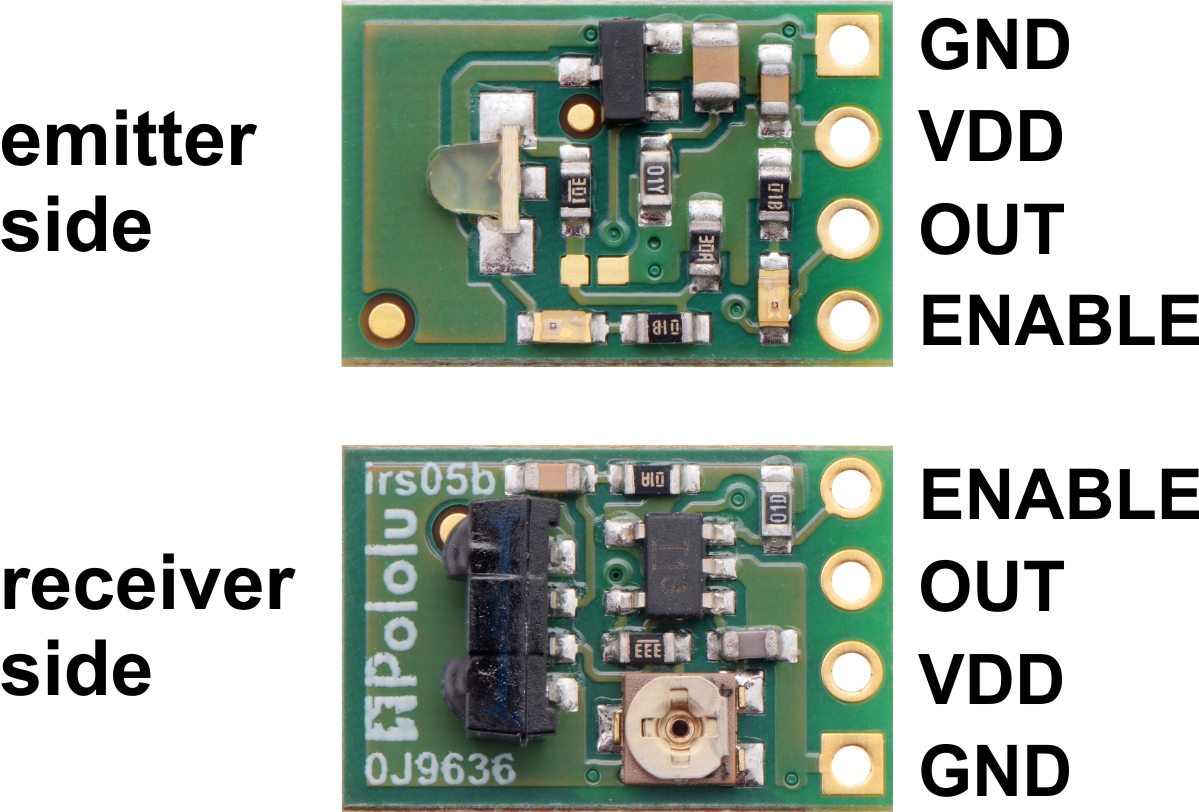
Evening: Testing: Playing records, hours=0 when active, then into deactive-> 355xxx mumbo jumbo, then into sleep 1 and 68 on wakeup…
355 could be reading the wrong active field into the printing function 68 could be minutes printed and not hours 1 is expected behavior
25.10.29
The behaviour on wakeup is because of main.cpp.60: ` print_hours(convert_ms_m(id_hours.hours[id_hours.active])); // prints ms for easier testing` I had just forgot to switch the function that is called.